
 Highway
 Area C, Milan
 Affiliated Parking Lots
 Strait of Messina Ferry
 Fuel
Fuel
 Electric Charging
 Blue Stripes
 Taxi
Taxi
 Scooter
 Bike Sharing
 Scooter Sharing
 Trains
 Ships and Ferries
title
sdfsdfds

For those who do not have employees

For businesses with 2 to 150 employees

For companies with 150 or more employees

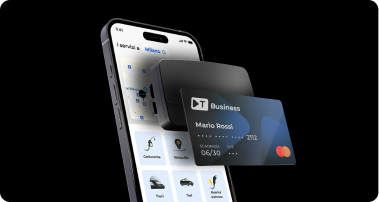
When you activate the service, the card is virtual.
You can request a physical card in the app: go to the “Card” section and tap “Request a physical card.”
The TBusiness card is part of the Mastercard network.
To use all the card’s features, you must request the physical card in the app.
The card will be mailed to your home address via certified mail. If you have not received the card after 15 business days, contact customer support at 800 713 670 and press 2, 3, and 4 in that order to receive dedicated assistance.
To activate your physical card, you must make your first transaction using chip and PIN.
You can view your PIN only in the app; go to the “Card” section and tap “Show PIN.”
In case of theft or loss, contact 800 263 008, available 24 hours a day.
You can suspend your card in the app: go to the section and tap “Pause Card”.
Suspension does not mean the card is permanently blocked, and you can reactivate it at any time. To permanently block the card, tap “Block Forever.”
You can check your spending limits in the app by going to the “Card” section and tapping “View Spending Details.”
You can view the allowed expense categories and transaction types within the app by going to the “Card” section and tapping “Permissions.” Remember that the limits and categories are set by your company.
Scan the QR code to download the app.

lkjflkasdjkfljdsl

sdfsdfds
Track expenses, devices, and invoices; update your information; and keep your business’s mobility under control at all times.

Find out how to link it to Telepass and manage tolls and business expenses in a centralized, secure, and traceable way.
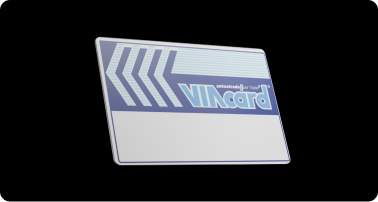
Discover Viacard with Telepass
Discover TBusiness and get instant access to all the Telepass benefits: device, app, prepaid card, and services for your business travel.
Discover the best deals