
 Highway
 Area C, Milan
 Affiliated Parking Lots
 Strait of Messina Ferry
 Fuel
Fuel
 Electric Charging
 Blue Stripes
 Taxi
Taxi
 Scooter
 Bike Sharing
 Scooter Sharing
 Trains
 Ships and Ferries
title
sdfsdfds

For those who do not have employees

For businesses with 2 to 150 employees

For companies with 150 or more employees

If a device is not working, you can request a new one by emailing assistenzabusiness@telepass.com.
Your request must include:
The malfunctioning device will remain active and usable until the new one is received. The services on the malfunctioning device (e.g., Targa, Area C) will be automatically transferred to the new one.
Once the new device has been delivered, Telepass will send an email with instructions on how to return the non-functioning device using the return label to Telepass via one of these services:
Please note that device replacements cannot be processed in person at any of the Telepass network’s physical locations, such as Eni Points or Service Centers.
If a device is lost or stolen, you can request that it be locked by emailing assistenzabusiness@telepass.com. Please indicate whether, in addition to having the device locked, you need a replacement device.
The request must include:
If you also want to replace it with a new device, please specify:
In the event of loss, you must attach the affidavit.
In the event of theft, you must attach the police report.
Please note that the hold cannot be lifted even if the package is found.
If you want to return a fleet device without receiving a new one in exchange, send your request to assistenzabusiness@telepass.com.
The request must include:
Please note that only devices linked to the Corporate Fleet plan can be returned. Devices associated with an employee’s profile cannot be returned, as returning them results in the termination of the individual contract.
Scan the QR code to download the app.

lkjflkasdjkfljdsl

sdfsdfds
Track expenses, devices, and invoices; update your information; and keep your business’s mobility under control at all times.

Find out how to link it to Telepass and manage tolls and business expenses in a centralized, secure, and traceable way.
Discover Viacard with Telepass
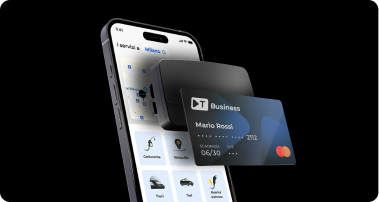
Discover TBusiness and get instant access to all the Telepass benefits: device, app, prepaid card, and services for your business travel.
Discover the best deals